

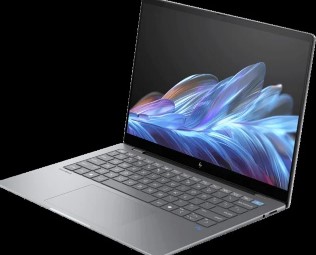
You’re staring at a dozen laptop listings. All different specs. All different prices. You’re confused. You’re worried about making the wrong choice. You’re scared you’ll waste money on a machine that won’t do what you need.
I get it.
The laptop market in Kenya is packed with options ranging from KES 35,000 to over KES 300,000. And you don’t want to end up with expensive regret.
Here’s what most people miss: buying a laptop isn’t about getting the most expensive one or the one with the flashiest ad. It’s about matching specs to your actual life. Your work. Your budget. Your reality.
Let me break down exactly how to do this.
Why Most People Pick the Wrong Laptop (And How You Can Avoid It)
Most buyers make one critical mistake. They focus on brand names instead of specs. Or they buy based on what their friend recommended without understanding their own needs.
Then they’re stuck with:
- A laptop that can’t handle their workload
- Battery life that dies during power outages
- Storage that fills up in months
- A machine that’s outdated before they finish paying for it
The truth? Your neighbor’s perfect laptop might be your worst nightmare.
Level Up Your Setup: Premium Computer Monitors That Actually Matter
Before we dive into laptop specs, here’s something most guides won’t tell you: Your laptop is only half the equation.
If you’re working from home or running a business, you need a proper display setup. Not the tiny 13-inch screen that murders your neck after two hours. Best laptop deals at Minify Solutions come with options to expand your workspace with quality external monitors that turn your portable machine into a productivity beast.
Think about it. You’re buying a laptop for serious work. Why limit yourself to a single small screen when you could have dual displays for the same price as that overpriced “premium” laptop?
Now let’s get into the actual buying process.
The Real Laptop Specs That Matter in Kenya (Not Marketing BS)
Here’s what actually determines if a laptop will work for you.
Processor Power: Your Computer’s Brain
The processor is everything. It determines speed. Multitasking ability. How long before your laptop becomes obsolete.
Here’s the breakdown:
Intel Core i3 / AMD Ryzen 3
- Good for: Basic office work, web browsing, streaming, email
- Who needs it: Students doing assignments, casual users, office workers with light tasks
- Skip it if: You do any video editing, run business software, or multitask heavily
- Reality check: This is bare minimum for 2025
Intel Core i5 / AMD Ryzen 5
- Good for: Serious multitasking, moderate gaming, photo editing, business applications
- Who needs it: Most professionals, content creators starting out, students in technical courses
- Skip it if: You’re doing 4K video editing or heavy 3D work
- Reality check: This is the sweet spot for 90% of users
Intel Core i7 / AMD Ryzen 7
- Good for: Heavy workloads, video editing, 3D modeling, running multiple demanding programs
- Who needs it: Video editors, graphic designers, engineers, serious gamers
- Skip it if: You’re just browsing and doing documents (waste of money)
- Reality check: Only get this if you know why you need it
RAM: Your Multitasking Muscle
RAM is your computer’s working memory. More RAM means more browser tabs. More programs running. Less freezing. Less frustration.
8GB RAM
- Status in 2025: Barely acceptable
- Reality: Will struggle with multiple Chrome tabs, background apps, and modern software
- Good for: Extremely tight budgets, very basic use
- Warning: You’ll wish you upgraded within 6 months
16GB RAM
- Status in 2025: The standard everyone should aim for
- Reality: Handles multitasking, gaming, content creation, business software smoothly
- Good for: Students, professionals, creators, casual gamers
- Investment value: This will keep your laptop relevant for 3-5 years
32GB RAM and Higher
- Status in 2025: Professional territory
- Reality: For video editing, 3D rendering, software development, virtual machines
- Good for: Serious creators, developers, engineers
- Skip it if: You don’t have specific professional software that requires it
Storage: Where Everything Lives
Storage determines what you can keep on your laptop. But it’s not just about size. The type matters more than most people realize.
256GB SSD
- Reality check: Fills up fast with photos, videos, and programs
- Good for: Cloud-heavy users who store everything online
- Warning: You’ll be managing space constantly
- When it works: If you’re disciplined about cloud storage and don’t download much
512GB SSD
- Reality check: The comfortable middle ground
- Good for: Most users who download files, install programs, store media
- Sweet spot: Balance between cost and capacity
- When to choose: If you’re not sure, this is usually right
1TB SSD and Higher
- Reality check: Future-proof storage
- Good for: Video editors, photographers, content creators, gamers with large libraries
- Investment value: Never worry about space again
- When to choose: If you work with large files or hate managing storage
Critical point: Make sure it’s an SSD (Solid State Drive), not an HDD (Hard Disk Drive). SSDs are 5-10 times faster. Your laptop will boot in seconds instead of minutes. Programs open instantly. It’s the single biggest performance difference you’ll feel.
Battery Life: Your Freedom from Outlets
In Kenya, power outages aren’t a question of if. They’re a question of when.
Your laptop battery is your backup generator. Here’s what you actually need:
4 hours or less
- Reality: Basically useless for mobile work
- Problem: You’re chained to outlets
- When it happens: Usually older laptops or gaming machines
- Action: Skip it or budget for a power bank
6-8 hours
- Reality: Decent for most users
- Problem: Still need to plan charging
- When it works: If you’re mostly at a desk with occasional mobility
- Sweet spot: Good balance for the price
10+ hours
- Reality: True all-day battery
- Problem: Usually more expensive
- When it works: If you work on the go, travel, or deal with frequent outages
- Investment value: Peace of mind costs money but saves stress
Power outages in Nairobi, Mombasa, Kisumu hit without warning. That Zoom meeting doesn’t care that KPLC decided today was maintenance day. Your client doesn’t accept “the power went out” as an excuse.
Get a laptop that can survive at least 6 hours on battery. Or budget for a quality power bank.
Display Quality: What You Stare at All Day
Most people ignore the display until they’ve been staring at a terrible screen for 6 months. Then their eyes hurt. Their head hurts. And they realize they bought wrong.
What to look for:
Resolution
- Minimum: Full HD (1920×1080)
- Skip: Anything lower than Full HD in 2025
- Upgrade if: You do photo/video work, then get QHD or 4K
- Reality: You’re looking at this screen for 6+ hours daily, don’t cheap out
Size
- 13-14 inches: Super portable, but cramped for long work sessions
- 15.6 inches: Perfect balance of portability and screen space
- 17+ inches: Desktop replacement, not really portable
- Choose based on: Whether you move around or stay at one location
Brightness
- Minimum: 300 nits if you ever work near windows
- Skip: Dim displays that force you to close curtains
- Reality: Kenya has bright sunlight, you need a screen that competes
Matching Laptops to Real Kenyan Use Cases
Let’s stop talking theory. Here’s exactly what you need for your actual situation.
If You’re a Student
Budget: KES 40,000 – 70,000
What you need:
- Intel Core i5 or Ryzen 5
- 16GB RAM (don’t negotiate on this)
- 512GB SSD
- 6+ hour battery
- 14-15.6 inch display
Why: You’re writing papers, doing research with 20 browser tabs open, running analysis software, watching lecture recordings, and maybe some light photo editing. You need multitasking power. You need battery that survives lectures without outlets. You need storage for all those PDF textbooks and assignments.
Skip:
- 8GB RAM (you’ll regret it by second year)
- HDD storage (painfully slow)
- Gaming features you won’t use
If You’re a Business Professional
Budget: KES 70,000 – 150,000
What you need:
- Intel Core i5/i7 or Ryzen 5/7
- 16GB RAM minimum
- 512GB SSD minimum
- 8+ hour battery
- Lightweight design
- Quality webcam for meetings
Why: You’re running Zoom, Excel spreadsheets, QuickBooks, emails, CRM software, and client presentations. All at the same time. Your laptop can’t freeze during client calls. Battery life needs to survive those days when meetings run long and outlets are scarce.
Bonus features worth paying for:
- Backlit keyboard (for those evening work sessions)
- Thunderbolt ports (faster file transfers)
- Business-grade build quality (HP EliteBook, Lenovo ThinkPad, Dell Latitude)
If You’re Creating Content
Budget: KES 100,000 – 250,000
What you need:
- Intel Core i7/i9 or Ryzen 7/9
- 32GB RAM (video editing is hungry)
- 1TB SSD minimum
- Dedicated graphics card (NVIDIA RTX series)
- Color-accurate display
- Good cooling system
Why: Video editing in DaVinci Resolve or Premiere Pro requires serious power. Photo editing in Photoshop with large RAW files needs RAM. Rendering 4K video needs processor muscle and graphics power. Large project files need storage.
Reality check: If you’re serious about content creation as income, don’t cheap out. A laptop that renders your videos twice as fast literally saves you money in time.
If You’re a Gamer
Budget: KES 120,000 – 300,000+
What you need:
- Intel Core i7 or Ryzen 7 minimum
- 16GB RAM minimum (32GB for future-proofing)
- 1TB SSD
- Dedicated NVIDIA RTX graphics
- High refresh rate display (120Hz+)
- Strong cooling system
Why: Modern games are demanding. AAA titles need graphics power. Competitive gaming needs high refresh rates. Large game files need storage.
Real talk: Gaming laptops run hot. Gaming laptops are heavy. Gaming laptops have shorter battery life. If you’re buying for gaming, accept these trade-offs or consider a desktop instead.
The Budget Reality Check
Let’s talk numbers. Real numbers. Not fairy tale “best laptop under 20K” nonsense.
Budget Tier (KES 35,000 – 60,000)
What you actually get:
- Basic performance
- Compromises on build quality
- Shorter lifespan
- Limited upgradeability
Who it works for:
- Students on tight budgets
- Basic office work only
- Secondary laptop
- Someone who really can’t spend more
Warning: You’ll likely want to upgrade within 2-3 years. Factor that into your total cost of ownership.
Mid-Range (KES 60,000 – 120,000)
What you actually get:
- Solid performance
- Decent build quality
- Good for most users
- 4-5 year lifespan
Who it works for:
- Most students
- Business professionals
- Light content creators
- Serious multitaskers
Sweet spot: This is where 80% of buyers should be shopping. Best value for money.
Premium (KES 120,000 – 250,000)
What you actually get:
- Excellent performance
- Premium build quality
- Professional features
- 5+ year lifespan
Who it works for:
- Content creators
- Serious gamers
- Tech professionals
- People who can afford quality
Reality: Only buy here if you have specific professional needs or can truly afford it.
Ultra-Premium (KES 250,000+)
What you actually get:
- Top-tier performance
- Luxury build
- Bragging rights
- Marginal improvements over premium tier
Who it works for:
- Successful professionals
- Specific technical requirements
- People for whom money isn’t the primary concern
Warning: Most people in this tier are overpaying for features they’ll never use.
Where to Actually Buy Laptops in Kenya
Not all laptop sellers are created equal. Some are great. Some will sell you refurbished trash as “new.” Some have terrible after-sales service.
What to look for in a seller:
Genuine products with warranty
- Ask for warranty documentation
- Verify it’s not just “shop warranty”
- Check if it’s manufacturer warranty
- Know the warranty period
After-sales support
- Can you reach them after purchase?
- Do they handle repairs?
- Do they have a physical location?
- Read reviews from actual buyers
Delivery options
- Do they deliver nationwide?
- What are delivery costs?
- How long does delivery take?
- Is packaging secure?
Common Laptop Buying Mistakes to Avoid
After reviewing hundreds of purchases, here are the mistakes that cost people money:
Mistake 1: Buying Based on Brand Alone “I want a MacBook” without knowing why. “Dell is the best” without checking specs. Brand matters, but specs matter more.
Mistake 2: Ignoring Future Needs Buying exactly what you need today. Not planning for software getting heavier. Not considering your needs in 2-3 years.
Mistake 3: Falling for “Deals” A laptop that’s 50% off is usually 50% off for a reason. Old stock. Outdated specs. About to be replaced.
Mistake 4: Ignoring Battery Health Buying refurbished without checking battery cycles. Not testing battery life before the return window closes. Assuming battery specs are accurate.
Mistake 5: Buying More Than You Need Getting an i9 processor for web browsing. 32GB RAM for Microsoft Word. Gaming laptop for Netflix. Wasting money on unused power.
Mistake 6: Not Testing Before Committing Not checking keyboard feel. Not verifying all ports work. Not testing the display. Not running speed tests.
The Questions You Should Ask Before Buying
Stop. Before you click “buy now,” answer these:
About your work:
- What’s the most demanding software you’ll run?
- How many programs do you typically have open?
- Do you work with large files?
- Will you be mobile or mostly at a desk?
About your budget: 5. Can you stretch your budget by 15% for better specs? 6. Are you factoring in accessories (mouse, bag, power bank)? 7. Is warranty included or extra? 8. What’s your actual total budget including everything?
About longevity: 9. How long do you need this laptop to last? 10. Will your needs grow in 2-3 years? 11. Can this laptop be upgraded (RAM, storage)? 12. Is the brand known for durability?
About power: 13. How often do you experience power outages? 14. Do you work on the go? 15. Can you always access outlets? 16. Do you need a power bank budget?
The Final Truth About Buying Laptops in Kenya
Here’s what nobody tells you:
The perfect laptop doesn’t exist. Every laptop is a compromise. Every choice has trade-offs.
But here’s what does exist: The right laptop for YOUR needs. For YOUR budget. For YOUR situation.
Stop chasing perfection. Start chasing the right fit.
Don’t buy what your friend has. Don’t buy what the ad says. Don’t buy based on the brand name alone.
Buy based on:
- What you actually do
- What you can actually afford
- What will actually last
- What will actually serve you
And when you’re ready to buy: Check warranty. Verify authenticity. Test everything within the return period. Keep your receipt. Register your product.
The laptop market in Kenya has never been better. More options. Better prices. Easier access.
But more options also mean more ways to mess up.
Use this guide. Do your homework. Make the smart choice.
Your perfect laptop is out there. Now you know how to find it.
Want to upgrade your entire workspace? Check out quality monitors and laptop accessories that turn your portable machine into a productivity powerhouse. Visit Minify Solutions for genuine products with warranty across Kenya.